
Swipe from the Phrase Library
The Phrase Library
Copy-Fast has an extensive, categorised library of over 6,152 proven headlines, bullets, phrases and fill-in-the-blank formulas for you to swipe. These are all sales & marketing focused to help you write your next sales piece.
The phrases are grouped in to 96 categories. These roughly follow the sequence of a sales letter: from the headline to the P.S.
You can browse through the categories looking for phrases that suit your project and experiment and enter them into your document with a mouse click.
Display the Browse Pane
To display the Browse pane either:

| From the Copy-Fast ribbon, click the Browse button. |
or | |
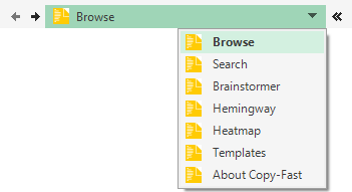
| From the top of the current pane, click the drop-down menu and select Browse. |
Browse the Phrase Library

Categories The formula library is divided into categories and subcategories. The categories are roughly ordered in the sequence you’d write a sales piece. | |
Phrases In each subcategory is a list of phrases you can swipe. Simply browse the list and select a phrase you like. | |
Tips Some phrases are wider than the pane. Simply hold your mouse over these phrases to see the full text in a pop-up tip. | |
Phrase Count See how many phrases are available in the selected folder. | |
Enter in Your Document When you’ve found a phrase you like, select it and click Insert to enter it in your document. The phrase will be entered wherever the cursor is blinking. |

| Note The Browse and My Favourites tabs are only visible in the Creative Director edition. In the Wordsmith you will only see the list of folders and phrases. |